FAQ Management
Create and manage FAQs so your AI can answer common customer questions instantly.
FAQs are your quick-answer library. When customers ask the same questions over and over — "What are your hours?" "How do I return something?" "Do you ship internationally?" — your AI agent handles them instantly.
Why FAQs matter
- Instant answers — No waiting for common questions
- Consistent responses — Everyone gets the same (correct) information
- Less repetitive work — The agent handles the repeats
- Continuous improvement — Surface the questions you're missing and fill the gaps
Opening FAQ Management
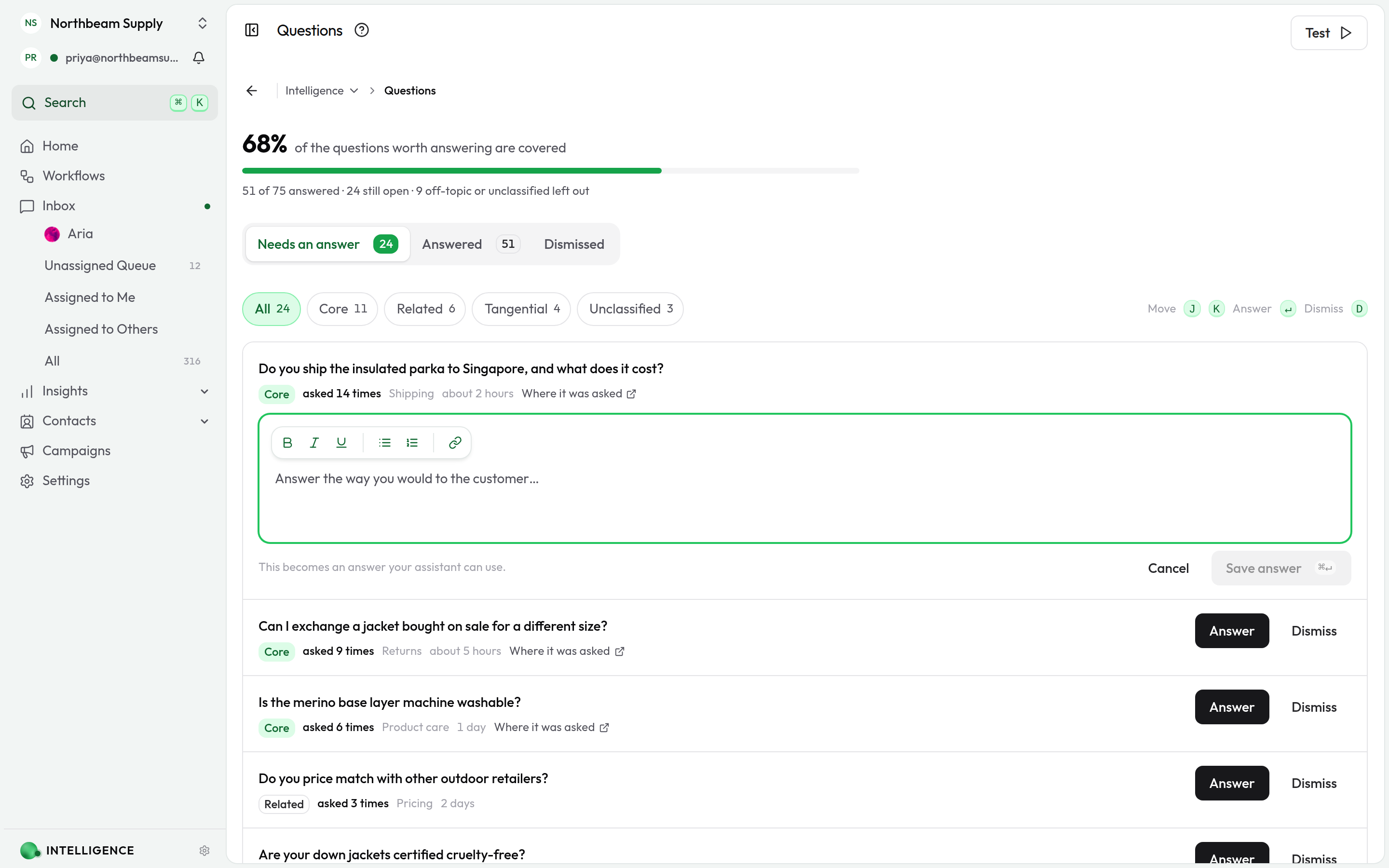
Go to Intelligence → FAQ from your dashboard. You'll see two tabs:
- Unanswered — Questions your agent couldn't answer
- Answered — Your question-answer pairs
What's in each tab
Unanswered
When the agent hits a question it can't handle, it lands here — a running list of customer questions waiting for answers.
Review it regularly. For each question, you can:
- Add an answer (which turns it into an FAQ)
- Edit the question if it's phrased awkwardly
- Delete it if it's not relevant
Answered
Your main library of question-answer pairs. Create FAQs proactively for things you know customers will ask, and convert unanswered questions as you go.
Adding a question yourself
Some answers you know before anyone asks — opening hours, a returns window, a launch date. Click Add question in the top right to write the pair yourself instead of waiting for a customer to raise it.
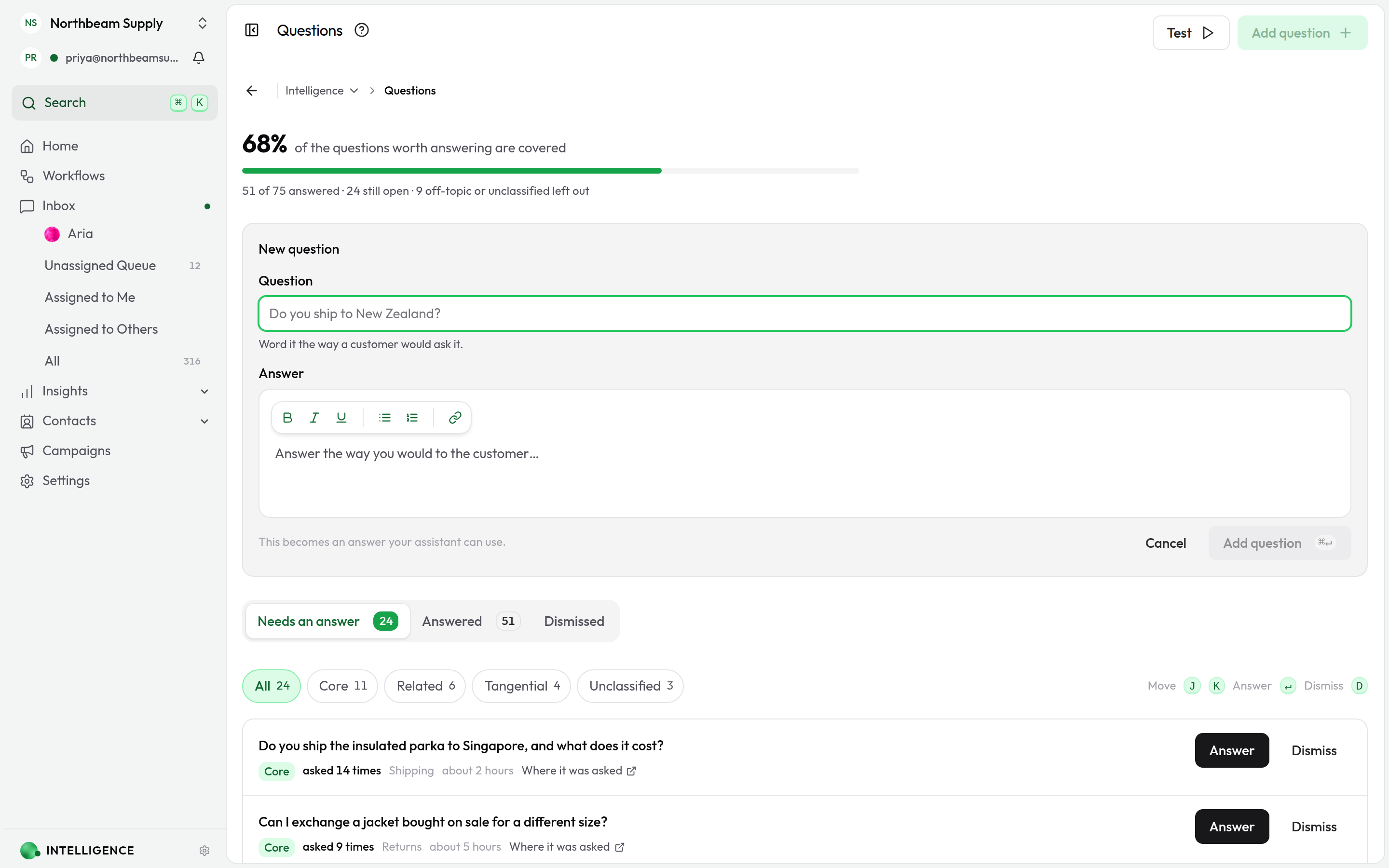
Word the question the way a customer would ask it, write the answer, and save with Add question or ⌘↵. It lands in Answered, and your agent can use it once training finishes.
Working with unanswered questions
Why they matter
Every unanswered question is a learning opportunity — it shows you exactly where the agent needs help.
Answering them
- Go to the Unanswered tab.
- Click a question.
- Add an answer (or edit the question first if it's unclear).
- Save.
That's it — it's now an FAQ your agent can use.
If a question isn't relevant (spam, nonsense), delete it.
Make a habit of checking unanswered questions regularly. It's the fastest way to make your agent smarter.
Creating FAQs
Add an FAQ from scratch
- Go to the Answered tab.
- Click New FAQ.
- Type the question and the answer.
- Save.
Start with what customers ask you most often.
Write questions the way customers ask them — natural language beats formal phrasing.
Manage your FAQs
- Search to find specific FAQs
- Edit to update questions or answers
- Delete when something's no longer relevant
If you delete an FAQ, your agent loses that answer. Confirm only if that's what you want.
Tips for good FAQs
Write helpful answers
- Answer fully — don't leave people guessing
- Keep it clear and straightforward
- Update answers when things change
Stay on top of unanswered questions
- Check regularly (weekly is good)
- Handle the most common ones first
- Delete irrelevant ones so they don't pile up
How your AI agent uses FAQs
When a customer asks something:
- The agent looks for matching FAQs.
- It finds the most relevant answer (using meaning, not just keywords).
- It responds with that answer.
Matching is semantic — so "What's your return policy?" and "Can I send this back?" both find your returns FAQ.
The feedback loop
When the agent can't answer something, it logs an unanswered question automatically. You add an answer, and it becomes an FAQ. The agent gets smarter. Repeat.
The workflow:
- Customer asks something → agent can't answer
- Question appears in the Unanswered tab
- You provide an answer
- It becomes an FAQ
- Next time, the agent handles it
This feedback loop is why checking unanswered questions matters. Each one you handle makes the agent more capable.
Troubleshooting
Agent isn't using my FAQs
Check that they're saved in the Answered tab. Then:
- See whether the questions match how customers actually phrase them — try rephrasing
- Make sure answers are complete enough
Answers aren't good
Add more detail. Then:
- Make sure the info is current
- Compare against what customers actually say and adjust
Too many unanswered questions
Focus on the most common ones first. Then:
- Set aside time regularly to work through them
- Delete irrelevant ones
Related
- AI Agent Configuration — How your agent uses FAQs
- Knowledge Base — For more detailed info
- Skill Sets — Custom actions your agent can take
- Conversation Insights — See how FAQs perform
What's next?
- Build your Knowledge Base — For detailed information
- Configure your AI Agent — Put it all together
- Watch real conversations for new FAQ ideas
- Keep your FAQs current as things change
Want to give your agent more abilities? Learn about Skill Sets.