Skills Overview
How the skill system and architecture work.
Skills extend the AI agent's capabilities. Once deployed, the AI agent can call them as tools during conversations — either as JavaScript functions in a skill set (this page), or as a workflow the agent can call.
Based on the official Skills documentation: Skills Overview - Cloodot.
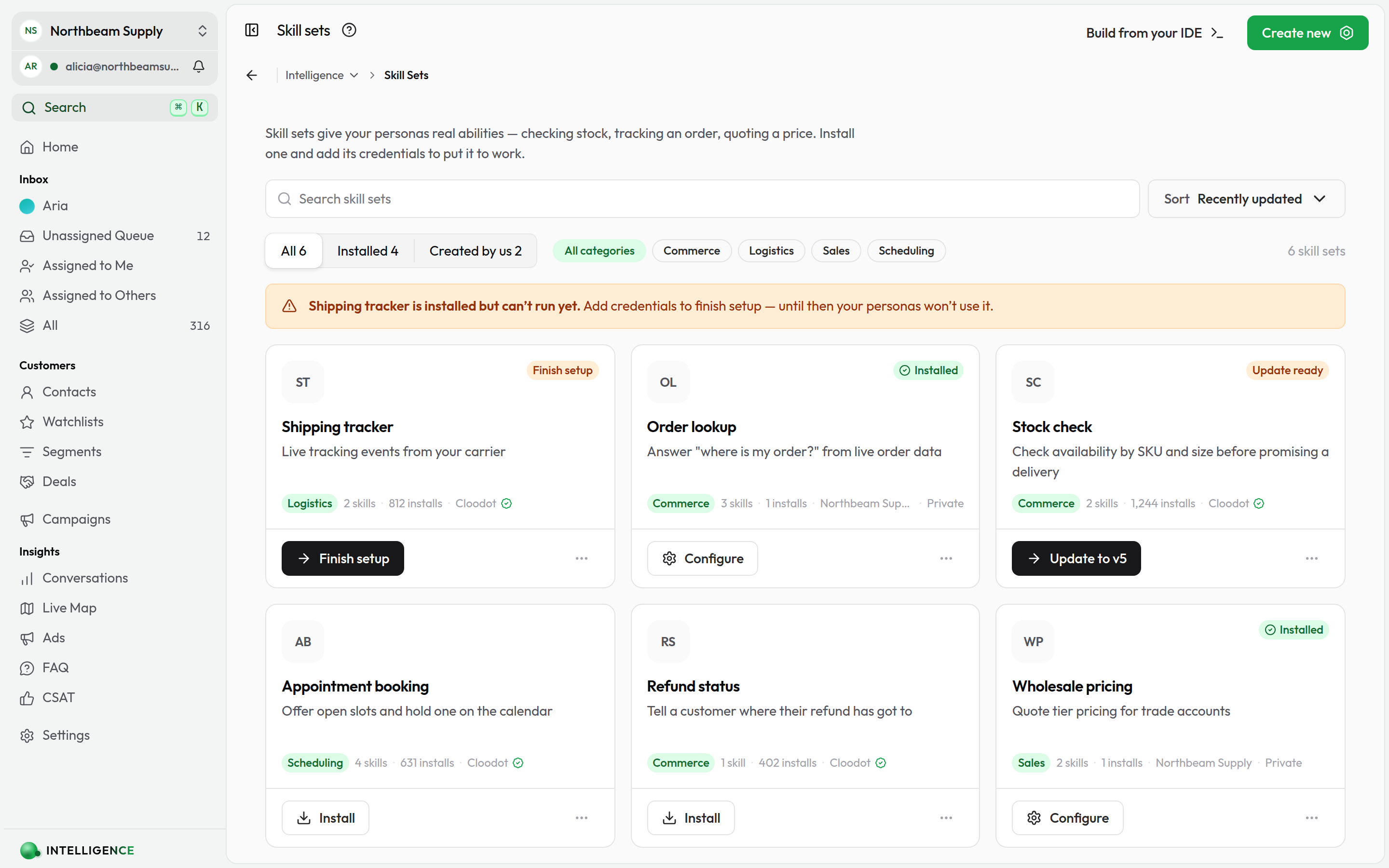
Two ways to build one
A skill is a tool the agent calls mid-conversation. There are two ways to write one, and they produce the same kind of thing — a named tool, with a description the model reads and arguments it fills in:
| JavaScript skill | Workflow skill | |
|---|---|---|
| What you write | A handler function in a skill set | A graph on the Workflows canvas |
| Who builds it | Someone who writes code | Anyone who can build a workflow |
| Arguments | Any JSON schema, nested included | Up to 10 flat values (string, number, boolean) |
| What it returns | Text plus rich replies — buttons, carousels | Text plus named facts as JSON |
| Real computation, third-party SDKs | Yes | No |
| Keeps working after it answers | No — the handler returns and it's over | Yes — delays, follow-ups, later messages |
| Shareable as a listing | Yes, versioned and installable | No — it lives in the workspace that built it |
The rest of this page, and everything under it, is about the JavaScript kind. For the other one — a workflow on the AI Agent Skill trigger, answering through a Reply to Agent step — see AI agent skills.
Which one to pick
If the job is steps — call an endpoint, branch on the answer, tell the agent, then chase it up two days later — build it as a workflow; you'll be done in an afternoon and you can watch every run. If it needs to compute something, return a nested shape, drive a vendor's SDK, or reply with a carousel, it's a JavaScript handler. A canvas can't do any of those.
What skills do
Custom JavaScript or TypeScript functions let the AI agent:
- Fetch live data to answer with up-to-date information
- Run operations that change state in your systems
Skill kinds
Every skill is one of two kinds:
Search
Retrieve and return data for the AI to use in its answer.
Examples:
- Look up order status
- Check inventory
- Search an external catalog
Characteristics:
- Read-only lookups
- Return data for the AI to present
- No external state changes
Execute
Perform an operation, often with side effects.
Examples:
- Create a calendar event
- Send an email
- Update a CRM record
- Process an order
Characteristics:
- May change external systems
- Often require configuration/credentials
- Return a confirmation or result
Tool call flow
When a user requests something the AI agent can handle with a skill, this is what happens:
- Tool discovery — the AI agent reads the parameters and descriptions of available skills.
- Parameter extraction — it pulls relevant values from the conversation and maps them to skill parameters.
- Skill invocation — the platform runs the skill in an isolated sandbox with those parameters.
- Response processing — Cloodot validates and formats the output; errors are captured and returned.
- Context integration — the result flows back into the conversation and the AI agent replies to the customer.
When skills are called
Skills run in these cases:
- User request — the customer explicitly asks ("book a meeting", "check inventory")
- AI agent decision — the AI agent decides invoking a skill would resolve the conversation
- UI interaction — the customer taps a skill-driven button or carousel
- Future — scheduled or event-driven runs (planned)
Skill context
When a skill executes, its context is a flat object with details about the conversation and organization. This is the complete set of keys — there are no aliases, so read exactly these names:
{
  "organizationId": "org_12345",
  "organizationName": "Acme Inc",
  "organizationTimezone": "America/New_York",
  "conversationId": "conv_12345",
  "messageId": "msg_12345",
  "channelId": "chan_12345",
  "channelType": "WHATSAPP",
  "channelName": "Acme Support",
  "channelReference": "+15551234567",
  "contactId": "contact_12345",
  "contactName": "Jane Doe",
  "contactEmail": "jane@example.com",
  "contactPhone": "+15557654321",
  "profileName": "Jane",
  "lastMessage": "Where is my order?",
  "messages": [
    { "from": "user", "text": "Where is my order?" },
    { "from": "assistant", "text": "Let me check that for you." }
  ],
  "collectionItems": [
    {
      "ref": "8123456789",
      "title": "Brass Kettle 2L",
      "subtitle": "From AED 129 · Acme",
      "url": "https://acme.example/products/brass-kettle"
    }
  ],
  "workflows": {
    "delivery_update": {
      "id": "wfl_12345",
      "url": "https://backend.cloodot.com/webhooks/workflows/wfl_12345",
      "status": "ACTIVE"
    }
  }
}| Key | Notes |
|---|---|
messageId | The inbound message that triggered this turn. Absent on runs with no inbound message. |
channelId | The channel record's ID. channelType / channelName / channelReference describe the same channel. |
contactEmail, contactPhone | null, not "", when the contact has no value on record. |
lastMessage | Text of the most recent customer message, in full. |
messages | Up to the last 10 customer and assistant turns, oldest first, each truncated to 400 characters. Text only — attachments and tool traffic are excluded, and these carry no message IDs. Call the API with conversationId if you need the durable record. |
collectionItems | The collection items most recently shown to this customer, in display order, up to 10. Absent when nothing has been shown. See below. |
workflows | The automations this skill set installed alongside itself, keyed by blueprint key. Absent unless the installed listing bundles workflows. See below. |
collectionItems — what the customer is looking at
When the AI agent shows products from a collection, the items it displayed are handed to your skill on the next turn. That is how a skill acts on "the blue one" or "the second one" without asking the customer to re-type a product name they can see on their screen.
{ "ref": "8123456789", "title": "Brass Kettle 2L", "subtitle": "From AED 129", "url": "https://…" }ref is the item's ID in whatever system fed the collection — the Shopify product ID for a synced store, your own record ID for a custom feed, the internal item ID for items added by hand. Pass it straight back to that system.
Two rules make this reliable:
- Parameters win. When the agent passes a product reference as a parameter, use it. Fall back to
collectionItemsonly when the parameter is missing — the agent may have searched again in the same turn, and that search is not incollectionItemsuntil the turn is saved. - Never pick for the customer. One item in the list means "that one". Two or more, with nothing to tell them apart, means the honest answer is a question.
This is what lets a skill set stop duplicating the platform. Catalogue search belongs to Collections — synced, embedded, rendered per channel and measured. A skill set is for what a synced catalogue cannot know: live stock, a real cart, a booking, an order's status.
workflows — the automations installed with the skill set
Some first-party skill sets install workflows alongside their skills — for
example a shipment-tracking skill set that also provisions a "delivery update"
automation, triggered by the carrier's webhook. When they do, every skill in
that set receives a workflows object keyed by the automation's blueprint key:
{
  "delivery_update": {
    "id": "wfl_12345",
    "url": "https://backend.cloodot.com/webhooks/workflows/wfl_12345",
    "status": "ACTIVE"
  }
}urlis the workflow's public webhook endpoint. A setup-style skill can register it with the external provider directly (e.g. create the carrier's webhook subscription pointing at this URL) instead of asking the merchant to copy-paste it.statusis the workflow's live state —DRAFT,ACTIVE,PAUSED, orARCHIVED. A handler should be honest with it: while the workflow is stillDRAFT(say, waiting on a WhatsApp template approval or a missing setting), don't promise the customer a confirmation message the workspace cannot send yet.- No secrets. The signing secret never crosses into the sandbox; the platform verifies inbound deliveries itself.
The key is absent when the installed listing ships no workflows. Bundled automations are currently a first-party capability — publisher-authored skill sets cannot ship them; see Creating Skills.
Use context to personalize responses. Fields populate when available — some may be empty depending on the channel.
Read the key names above exactly. context is a plain object, so a
misspelled or invented key (message_id, contact.email, triggerMessageId)
is undefined rather than an error — which usually surfaces as a skill
quietly taking its "missing data" branch instead of failing.
Skill definition fields
A skill definition includes:
- slug — unique identifier (alphanumeric + underscores)
- name — display name
- description — what the skill does
- prompt — how to describe it to the AI agent
- definition — JavaScript or TypeScript code with a
handlerfunction - parameters — input schema the AI agent passes in
- response — output schema returned to the AI agent
- buttons — optional quick-action buttons
Handler function
All skills require a handler function:
async function handler(input) {
  const { config, secrets, parameters, context } = input

  // Your skill logic here

  return {
    message: "Response to AI",
    // ... other fields
  }
}
Input structure
{
  config: Record<string, any>           // Non-sensitive configuration values
  secrets: Record<string, any>          // Config fields marked sensitive (API keys, tokens)
  parameters: Record<string, any>       // Input from AI tool call
  context: {
    conversationId?: string
    organizationId?: string
    // ... see "Skill context" above
  }
}
Sensitive values arrive in secrets, not config. Any configuration field marked sensitive (for example an API key with isSensitive: true) is delivered in input.secrets — read credentials from secrets and ordinary settings from config.
Further reading
Build and deploy
- Creating Skills — build your first skill step by step
- AI agent skills — the no-code route: a workflow the agent calls as a tool
- Skill Schema — definition format and validation rules
- Skill Sets — group skills into reusable bundles
- AI Agent Configuration — wire custom skills into the AI agent
- MCP Servers — connect skills to external services via MCP
Related features
- Knowledge Base — ground skill responses in your knowledge base
- Custom Fields — use custom fields in skill parameters and responses
- Integrations — connect skills to external APIs and services