Billing and Plans
Invoices
View your invoice history and download receipts for your Cloodot subscription.
Go to Settings → Billing & Plans and open the Invoices tab for a read-only history of every invoice Cloodot has issued for your workspace. Use it to download receipts for accounting or to check a charge.
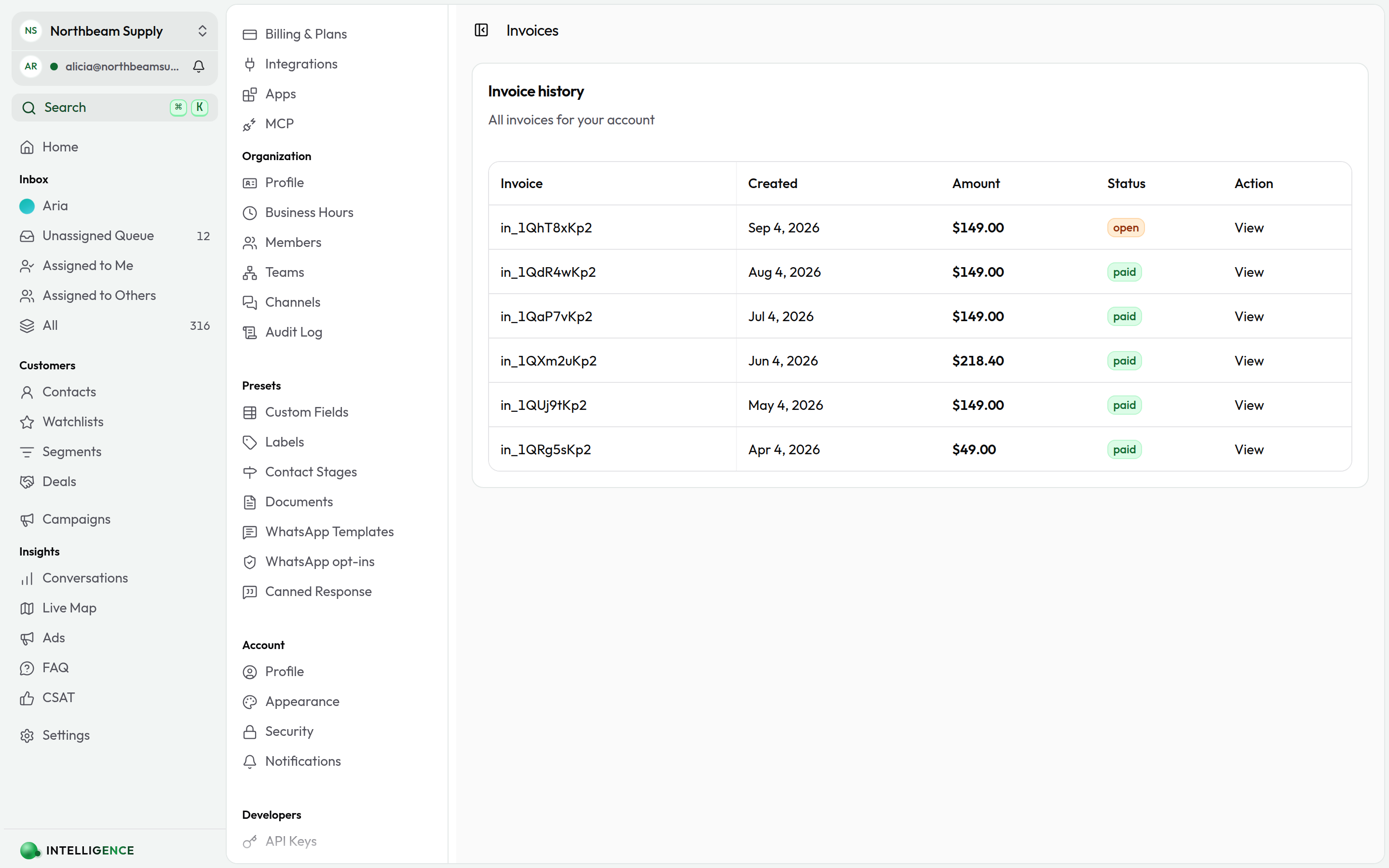
Invoice history
Every invoice tied to your account appears in a single table:
| Column | What it shows |
|---|---|
| Invoice | the invoice ID |
| Created | the date the invoice was issued |
| Amount | the total in your account currency |
| Status | the current state of the invoice |
| Action | a View link to open the hosted invoice |
Invoice status
- Paid — payment succeeded (green badge)
- Open — issued but not yet paid (orange)
- Uncollectible — couldn't be collected (orange)
- Other statuses appear with a neutral badge
Download or print an invoice
Click View next to the invoice. A hosted invoice page opens in a new tab where you can:
- Download the PDF
- Print directly from the browser
- Share the link with your accounting team
When there are no invoices yet
Until your workspace has been billed once, the tab reads "No invoices yet." Check back after your first billing cycle, or open Billing & Plans to review your subscription.
Related topics
- Billing & Plans — manage your subscription and payment method
- Organization Profile — update the organization details that appear on invoices