Account SettingsNotification Settings
Notification Triggers
Choose which events notify you, and through which channel.
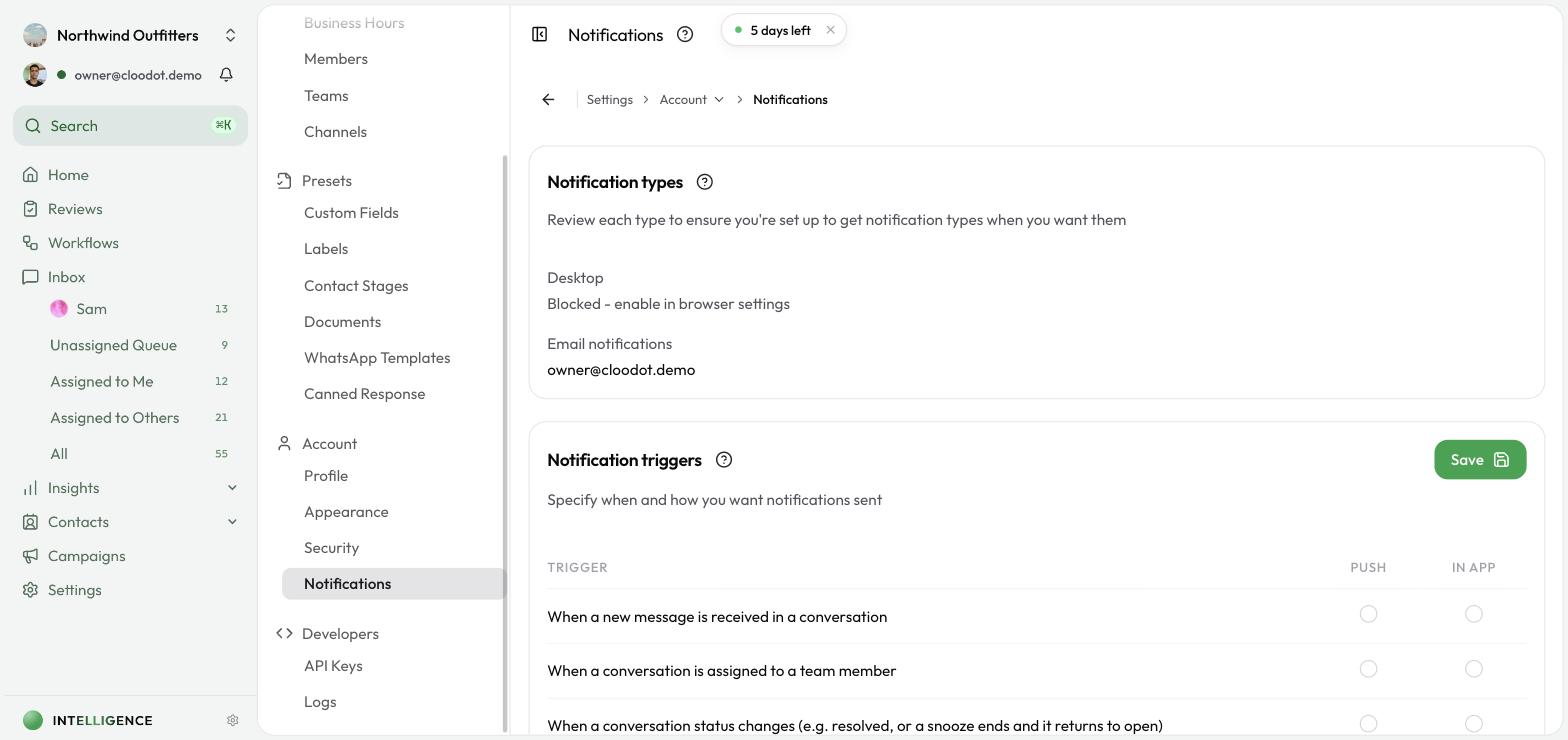
Under Settings → Notifications, the Notification triggers section picks which events notify you and through which channel.
How it works
Triggers are a grid:
- Each row is an event that can notify you.
- Each column is a delivery channel — Push or In app.
- Tick a box to be notified of that event on that channel.
Click Save to apply.
Events you can be notified about
- A new message arrives in a conversation
- A conversation is assigned to a teammate
- A conversation status changes — for example it's resolved, or a snooze ends and it returns to Open
- A new channel is connected (e.g. a WhatsApp integration)
- A workflow sends the team a notification
When a snoozed conversation wakes on its timer, the Conversation status changes trigger notifies its assignee that it's back. See Snooze for the full behaviour.
Workflow notifications are on until you turn them off
The workflow trigger is ticked for everyone by default — a workflow that names you as a recipient reaches you without you having to opt in first. Untick a channel and Save to stop receiving them there; the workflow keeps running and simply stops notifying you.
Delivery channels
- Push — browser push notifications (enable these under Notification Types)
- In app — notifications shown inside Cloodot